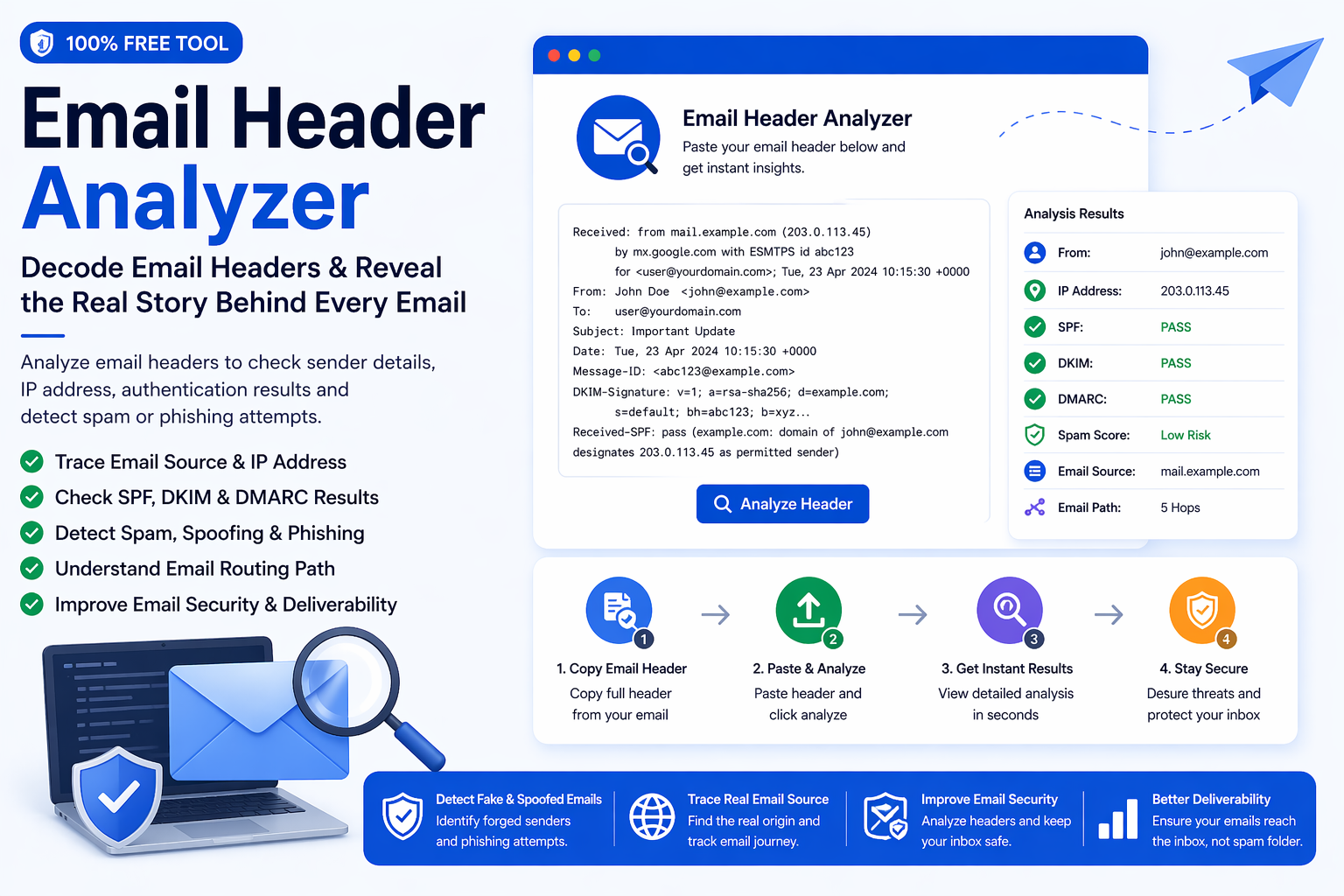
An Email Header Analyzer helps you look beyond the visible parts of an email. Most people only notice the sender name, subject line, message body, and attachments, but every email also carries technical information inside its header. This hidden section can show the message path, sending servers, authentication checks, timestamps, return path, message ID, and other details that are useful for security and troubleshooting.
Email headers are especially important when a message looks suspicious. A fake sender name can be easy to create, but the technical header often gives more clues about where the email actually came from. By using an email header analyzer, you can inspect those details in a more readable format and make better decisions before replying, clicking links, downloading files, or trusting the sender.
What Is an Email Header Analyzer?
An email header analyzer is a tool that reads raw email header data and turns it into clearer information. Raw headers can look confusing because they include many technical lines such as Received records, Return-Path, Message-ID, Authentication-Results, SPF, DKIM, DMARC, mail server names, and sometimes IP-related details.
Instead of manually reading every line, the analyzer helps highlight the most useful parts. This makes it easier to understand the sender source, the route the email followed, and whether the message passed basic authentication checks.
Why Email Headers Matter
Email headers matter because the visible sender name is not always enough. A message may look like it came from a trusted company, colleague, bank, supplier, or online service. However, the header may show that the message was routed through unexpected servers or failed important verification checks.
This does not automatically mean every unusual result is dangerous. Many legitimate companies use third-party email platforms for marketing, support, and transactional messages. Still, header analysis gives you more context and helps you avoid making decisions based only on the visible inbox view.
What Information Can You Find in an Email Header?
A full email header can contain several useful fields. Some are easy to understand, while others are more technical. The main value of a header analyzer is that it organizes these details so you can review them faster.
- From: Shows the visible sender address or name shown in the email client.
- Return-Path: Shows where bounce messages may be sent if delivery fails.
- Received lines: Show the path the email followed through mail servers.
- Message-ID: A unique identifier created for the email message.
- Authentication-Results: Shows SPF, DKIM, and DMARC related checks when available.
- Date and timestamps: Help review when the message was processed by servers.
- IP or server details: May reveal technical sender or routing information.
How an Email Header Analyzer Helps With Suspicious Emails
Suspicious emails often rely on appearance. They may use familiar logos, professional formatting, urgent wording, or sender names that look trustworthy. The email header can help you inspect whether the technical details support the visible identity.
For example, if a message claims to come from a known company but the authentication results fail, the return path looks unrelated, or the routing path seems unusual, you should be more careful. A header analyzer can help you spot these warning signs before taking action.
How to Use the Email Header Analyzer Tool
Using an email header analyzer is simple once you know where to find the raw header. Most email clients have an option such as “View original,” “Show source,” “View message details,” or “Show raw headers.” After opening that view, copy the full header and paste it into the analyzer.
- Open the email you want to inspect.
- Find the option to view original message details or raw headers.
- Copy the full header text.
- Paste it into the Email Header Analyzer.
- Review sender, return path, message ID, routing, and authentication details.
This process is useful for both technical and non-technical users. Even if you do not understand every server line, the analyzer can help you focus on the most important parts of the email source.
SPF, DKIM, and DMARC in Email Headers
Email authentication checks help verify whether a message is allowed to send on behalf of a domain. Three common checks are SPF, DKIM, and DMARC. These are often shown inside email headers under authentication results.
- SPF helps check whether the sending server is authorized for the domain.
- DKIM helps verify whether parts of the email were signed and not changed in transit.
- DMARC helps domain owners define how receiving servers should handle messages that fail checks.
Passing these checks can increase trust, but it does not mean every message is automatically safe. Failing them can be a warning sign, especially if the email also asks for sensitive information or includes suspicious links.
Email Header Analyzer vs Spam Checker
An email header analyzer and a spam checker are related, but they do different jobs. A header analyzer focuses on technical source details, routing, and authentication. A spam checker focuses more on suspicious wording, risky phrases, or quality signals.
A stronger review process often uses both. First, analyze the header to understand the source. Then check the message content or sender risk using a spam checker. This gives you a better view than using only one tool.
Common Warning Signs in Email Headers
You do not need to be a security expert to notice some basic warning signs. While headers can be complex, certain patterns deserve extra caution.
- The visible sender domain and return path do not match or look unrelated.
- SPF, DKIM, or DMARC results fail for a message claiming to be from a trusted brand.
- The email passes through unusual or unfamiliar routing paths.
- The message claims urgency but comes from a suspicious source.
- The Message-ID domain looks unrelated to the sender identity.
- The email includes links or attachments while the header looks inconsistent.
How Header Analysis Helps With Deliverability
Email header analysis is not only for suspicious emails. It is also useful for deliverability troubleshooting. If your emails are landing in spam, arriving late, or failing authentication, the header can provide clues about what happened during delivery.
Marketers, developers, and business owners can use headers to review whether authentication checks are passing, whether mail servers are routing messages correctly, and whether receiving systems are adding warnings or filtering signals. This makes the analyzer useful for both incoming and outgoing email investigations.
Who Should Use an Email Header Analyzer?
This tool is useful for many types of users. It can help individual inbox users check suspicious messages, IT teams troubleshoot delivery problems, marketers review deliverability issues, and businesses investigate questionable emails from vendors, leads, or unknown senders.
- Individuals can inspect suspicious emails before clicking or replying.
- Businesses can review vendor, client, or payment-related messages more carefully.
- IT teams can troubleshoot routing, authentication, and delivery problems.
- Marketers can understand deliverability signals and email authentication results.
- Support teams can investigate reported suspicious messages from users.
Best Workflow for Safer Email Review
A better email safety workflow uses more than one signal. The header gives technical details, the content gives context, and validation tools help review email list quality when you are working with many addresses.
- Use the Email Header Analyzer to inspect source and routing information.
- Check suspicious wording or risky content with the Spam Email Checker.
- Validate saved contact lists with the Email Validation & List Cleaner.
- Use caution with urgent requests, attachments, payment links, or password requests.
- Confirm sensitive requests through another trusted communication channel when needed.
What an Email Header Analyzer Cannot Do
A header analyzer is helpful, but it is not a complete security system. It cannot guarantee whether a message is safe, and it cannot replace good judgment. It simply gives you more technical information so you can make a better decision.
- It cannot prove that every message is safe or unsafe by itself.
- It cannot open private inboxes or access sender accounts.
- It cannot guarantee that a link or attachment is safe.
- It cannot replace professional security tools for high-risk environments.
- It should be used together with careful review and other checks.
Practical Example of Header Review
Imagine you receive an email that appears to come from a company you know. The message says your account needs urgent action. Before clicking the link, you copy the raw header and analyze it. The visible sender looks familiar, but the return path uses an unrelated domain and authentication results show a failure. That does not automatically prove the email is malicious, but it is a strong reason to pause and verify through the company’s official website or support channel.
This is where email header analysis becomes valuable. It adds another layer of visibility before you trust a message.
Final Thoughts
An Email Header Analyzer is a practical tool for understanding the hidden technical story behind an email. It helps reveal sender details, routing paths, return path information, message identifiers, and authentication results that are not visible in the normal inbox view.
The best approach is simple: review the header, check the sender source, inspect authentication, and combine those findings with careful judgment. When used with spam checking and email validation tools, an email header analyzer becomes a strong part of a safer and more informed email workflow.